Data table checker
Checks that data tables mark header cells, connect cells to their headers and have a caption or name.
What this check looks for
The audit runs this check with every other check, on the page as the browser renders it.
- Tables without header cells
- Data tables built only from td cells, so screen readers can't announce column names.
- Headers without scope
- Header cells in complex tables that don't say whether they label a row or a column.
- Empty header cells
- th elements with no text.
- Layout tables with data markup
- Tables used for layout that carry headers or captions and confuse screen readers.
What a failure looks like
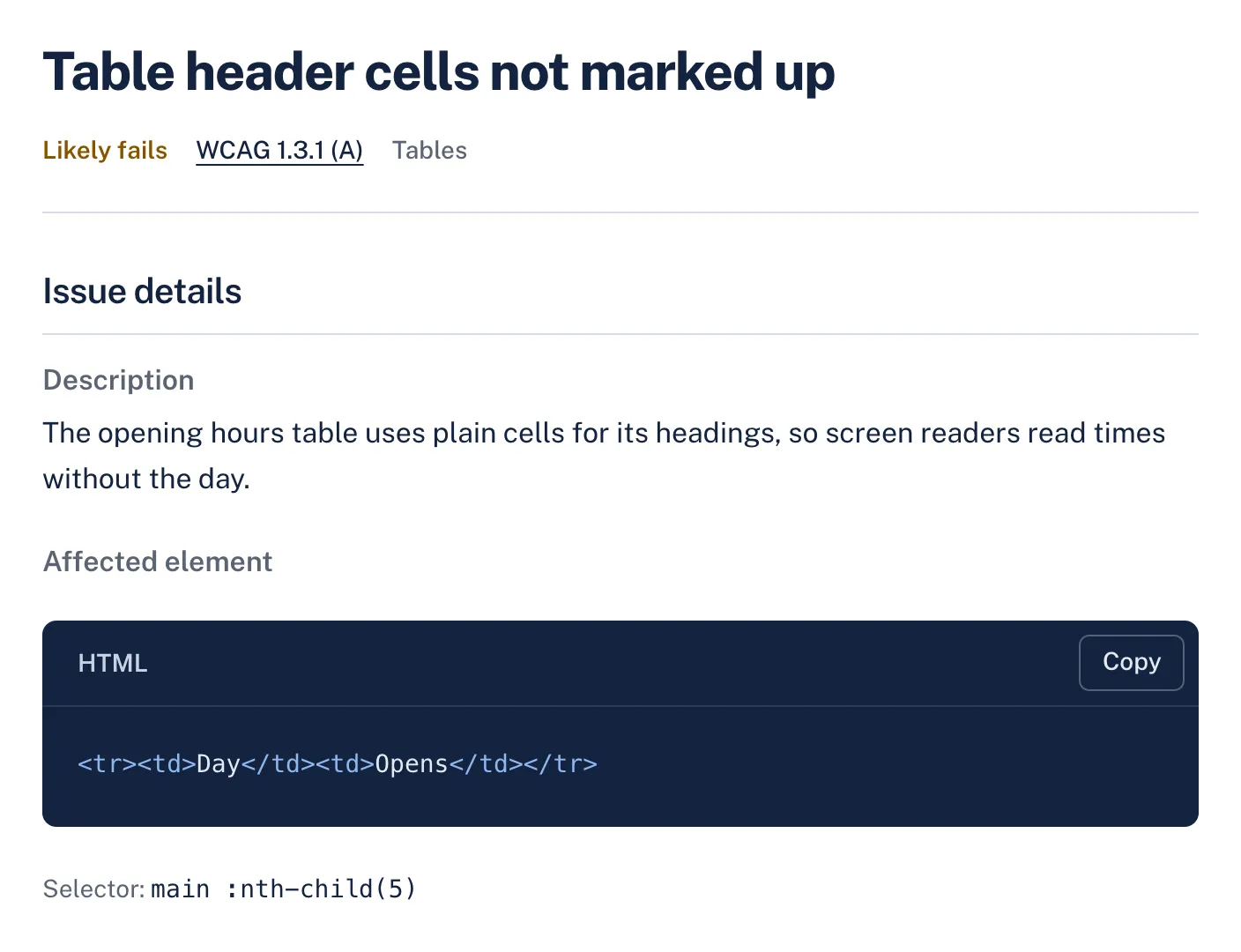
An opening hours table uses plain cells for the day names, so a screen reader reads "9:00" without saying which day.
<!-- Broken: no header cells -->
<table>
  <tr><td>Day</td><td>Opens</td></tr>
  <tr><td>Monday</td><td>9:00</td></tr>
</table><!-- Fixed: a caption and header cells with scope -->
<table>
<caption>Opening hours</caption>
<tr><th scope="col">Day</th><th scope="col">Opens</th></tr>
<tr><th scope="row">Monday</th><td>9:00</td></tr>
</table>How it shows in AccessGuard
Each finding names the WCAG criterion, explains the problem in plain words and shows the element that fails, so a developer can find it on the page.
WCAG criteria
Findings from this check name one of these criteria. How much of each the audit can decide on its own:
| Criterion | Level | Automation |
|---|---|---|
| 1.3.1 Info and Relationships Headings, lists, tables, labels and landmarks in the markup are checked. Structure shown only visually needs a person. | A | Partly automated |
What still needs a person
No automated tool can confirm these. AccessGuard marks related findings as Review, so nobody mistakes them for a pass.
- Whether a table is a data table or only used for layout.
- Complex tables with merged cells, which may need headers and id attributes.
Questions
When do I need scope on header cells?
Simple tables with one header row work without it. Add scope="col" and scope="row" whenever a table has both row and column headers.
Should layout use tables?
No. Use CSS grid or flexbox. If an old layout table can't be replaced yet, add role="presentation" and don't use th or caption in it.
Is a caption required?
WCAG doesn't require one, but a caption or an aria-label tells screen reader users what the table is before they enter it.
Related checks and guides
-
Checks
Headings and landmarks checkerA page's URL in, its heading outline and landmarks out, with what is wrong in them.
-
ARIA checker
A page's URL in, every ARIA problem out, with the element and what is wrong with it.
-
Form labels checker
Finds inputs without labels, placeholders used as the only label, and fields that don't say what they collect.
-
Guides
Accessible Data Tables: WCAG Markup and Screen ReadersData tables break for screen reader users when headers aren't associated correctly. Here's the markup that actually works.
-
Agent Ready Website: What AI Browser Agents Need to Read
Browser agents read the same names, roles and labels as screen readers, so the WCAG fixes that help people also stop agents getting stuck.
-
Heading Structure Accessibility: Fix H1s, Skips and Landmarks
What a missing h1 or a skipped heading level really costs, which findings WCAG requires you to fix, and the markup that fixes them.
-
How to Test With a Screen Reader: A 20 Minute Website Pass
The smallest screen reader routine that finds real bugs: one reader, a handful of keys and a pass of about 20 minutes per page template.
-
Accessible Forms: WCAG Inputs, Labels, and Errors
Missing labels, broken error handling, and inaccessible inputs block real users from completing forms. Learn how to fix common WCAG form violations with practical code examples.
Every check, not only data tables
The free audit runs this check and every other one. Results in about a minute.