Free color contrast checker
Two colors in, the ratio out, and the nearest color that passes WCAG 2.2.
Check two colors
2.15:1Contrast ratio
Too faint for text of any size, and for icons and controls.
| Where the colors are used | Result |
|---|---|
| Normal text needs 4.5:1 | Fails |
| Large text 18 pt, or 14 pt bold, needs 3:1 | Fails |
| Icons and controls needs 3:1 | Fails |
The stricter AAA level needs 7:1 for normal text and 4.5:1 for large text. This pair fails both.
Flat colors only. Text over a photo or a gradient, and text inside a logo, need a person.
The nearest colors that pass AA
What this check looks for
The tool above checks for these things on the page you give it.
- Low contrast controls
- Borders of inputs and buttons that are hard to see against the page.
- Links shown by color alone
- Links with no underline that differ from the surrounding text only by color.
The fix, in CSS
A booking button that fails at 2.15:1. Darkening its background is one line, and the white text stays.
/* Broken: fails at 2.15:1 */
.btn-booking {
  background: #8FB4DE;
  color: #fff;
}

/* Fixed: passes AA, 4.55:1 */
.btn-booking {
  background: #3878BF;
  color: #fff;
}
How it shows in AccessGuard
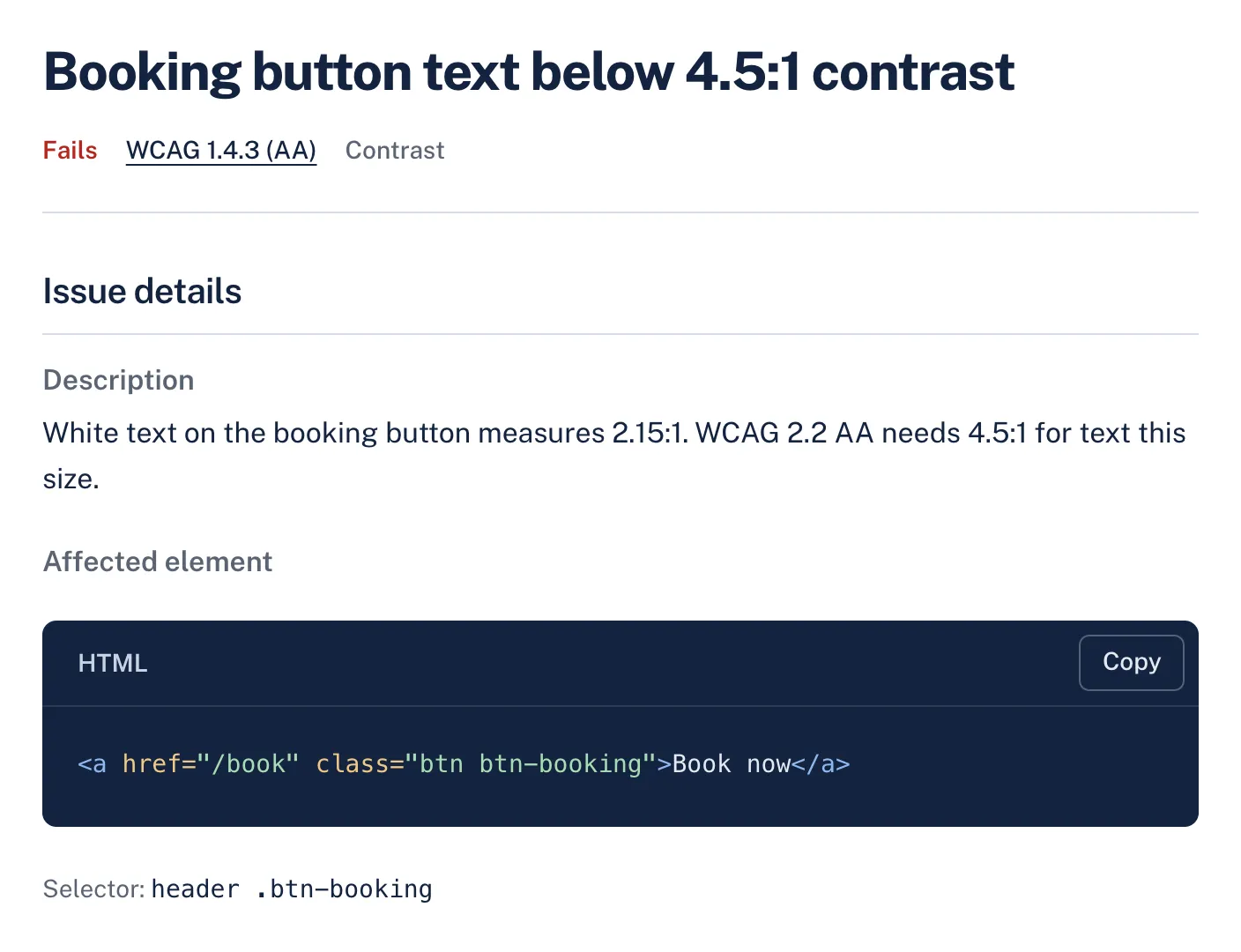
Each finding names the WCAG criterion, explains the problem in plain words and shows the element that fails, so a developer can find it on the page.
WCAG criteria
Findings from this check name one of these criteria. How much of each the audit can decide on its own:
| Criterion | Level | Automation |
|---|---|---|
| 1.4.3 Contrast (Minimum) Text on solid backgrounds is measured. Text over images and gradients needs a person. | AA | Partly automated |
| 1.4.11 Non-text Contrast | AA | Partly automated |
| 1.4.1 Use of Color Links that differ from text only by color are flagged. Other meaning carried by color needs a person. | A | Partly automated |
What still needs a person
No automated tool can confirm these. AccessGuard marks related findings as Review, so nobody mistakes them for a pass.
- Text placed over photos, videos or gradients, where the background changes behind the letters.
- Whether information shown with color, such as a red error state, is also shown another way.
- Text inside images and logos (logos are exempt).
Questions
What contrast ratio does WCAG 2.2 AA require?
4.5:1 for normal text and 3:1 for large text, which is at least 24px regular or 18.66px bold. Borders and icons that users need to see need 3:1 against what is next to them.
Does the check use the colors in the CSS or on the page?
It measures the colors the browser actually renders, after stylesheets, inherited colors and transparency are applied.
Why do contrast results sometimes need a person?
When text sits over an image or gradient, the background differs under each letter. AccessGuard marks those cases for review instead of guessing.
Related checks and guides
-
Checks
Target size checkerA page's URL in, every button and link too small to tap out, measured in a browser against the WCAG 2.2 minimum of 24 by 24 pixels.
-
Keyboard and focus checker
Finds controls people can't reach by keyboard, controls a keyboard reaches but nobody can see, focus styles that were removed, and focused elements hidden behind sticky headers.
-
Link text checker
Finds links with no accessible name, vague text like "click here", and links that open new windows without warning.
-
Guides
WCAG Color Contrast Ratios: AA and AAA Rules With ExamplesEvery WCAG contrast threshold for text, buttons, icons and focus, how to test gradients and text over photos, and how to fix a brand color that fails.
-
Most Common WCAG Violations (With Code Fixes for Each)
The same handful of WCAG violations appear on nearly every website we scan. Here's what they are, why they matter for compliance, and exactly how to fix each one with code examples.
-
WCAG 2.2 vs 2.1: What Changed and What to Re-Test
WCAG 2.2 keeps every 2.1 criterion but one, adds six at Level AA and leaves color contrast alone, so here is exactly what to re-test.
-
Color Contrast Requirements: WCAG 2.0, 2.1, 2.2 and the ADA
Which contrast ratio each WCAG version and each US and EU rule asks for, and what to tell a client who asks whether a ratio makes a site compliant.
-
Form Accessibility Audit: 7 Mistakes to Check For
How to spot the seven most frequent form failures in an existing form, which WCAG criterion each one fails, and the fix.
Every check, not only color contrast
The free audit runs this check and every other one. Results in about a minute.