A fix for every finding, written for your markup
AccessGuard reads the element that fails and the WCAG criterion it breaks, then writes the explanation and the code change for that exact element.
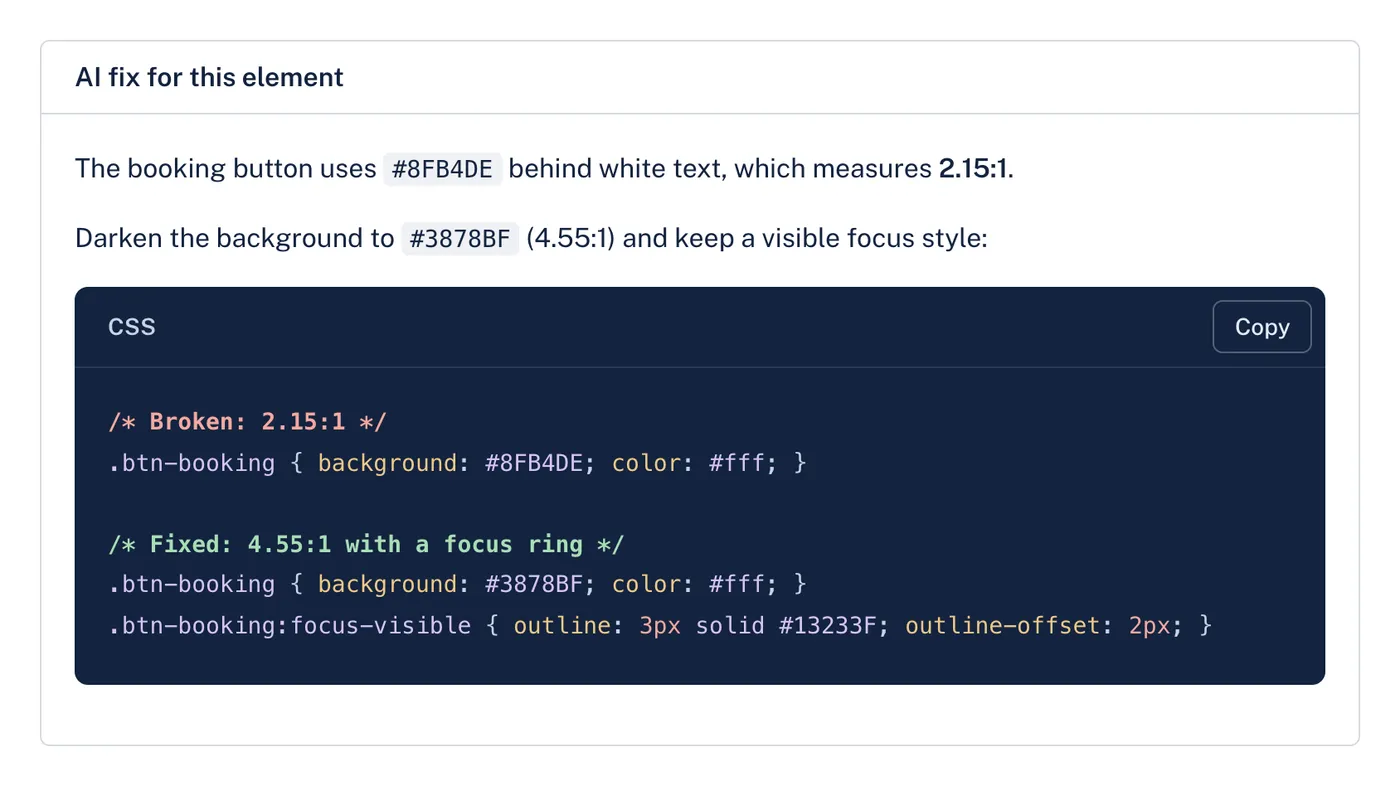
Written for the exact element
Generic advice says "increase contrast". An AI fix names the colors on the page, suggests one that passes and shows the change in the page's CSS or HTML, with broken and fixed code side by side.
Suggestions a developer reviews
Fixes are suggestions, not automatic changes to the site. A developer reads them, adjusts them to the codebase and ships them like any other change.
Alt text for images
Upload images to the Alt text tool and get a description for each one, written for its context. Edit anything before you copy it into the site.
What's included
- One fix per finding
- 1 credit for a fix written for one finding, kept on the finding afterwards.
- Broken and fixed code
- Code samples with the language labelled and a copy button.
- Alt text tool
- 1 credit per image.
Questions
Does AccessGuard change my site?
No. It never touches the site. You get suggested fixes to review and apply yourself, which is also why no widget or script is added to your pages.
Which plans include AI fixes?
AI fixes are included in every paid plan and use 1 credit each. Free accounts see the finding, the element and a written suggestion for how to fix it.
Can AI fixes be wrong?
Yes, sometimes. They are written for the element and criterion in the finding, but a developer should always review them before they go live.
Related
- White-label reports
Send clients a PDF they can read without a developer in the room, with your agency's name at the top and the detail your developers need behind it.
- Monitoring
AccessGuard rescans your sites, or your clients', daily, weekly or monthly and emails your team when a release adds failures or the score drops.
- Multi-site audits
Keep your own sites or your clients' in one list, rescan after each release and see which ones got worse before your visitors do.
- Alt text checker
Paste a page address. See every image on it with its alt text, and which ones need fixing.
- Color contrast checker
Two colors in, the ratio out, and the nearest color that passes WCAG 2.2.
- ARIA checker
A page's URL in, every ARIA problem out, with the element and what is wrong with it.
Try it on your site
Start with a free audit of one page. No account needed.