Accessibility reports under your agency's name
Send clients a PDF they can read without a developer in the room, with your agency's name at the top and the detail your developers need behind it.
Your name at the top
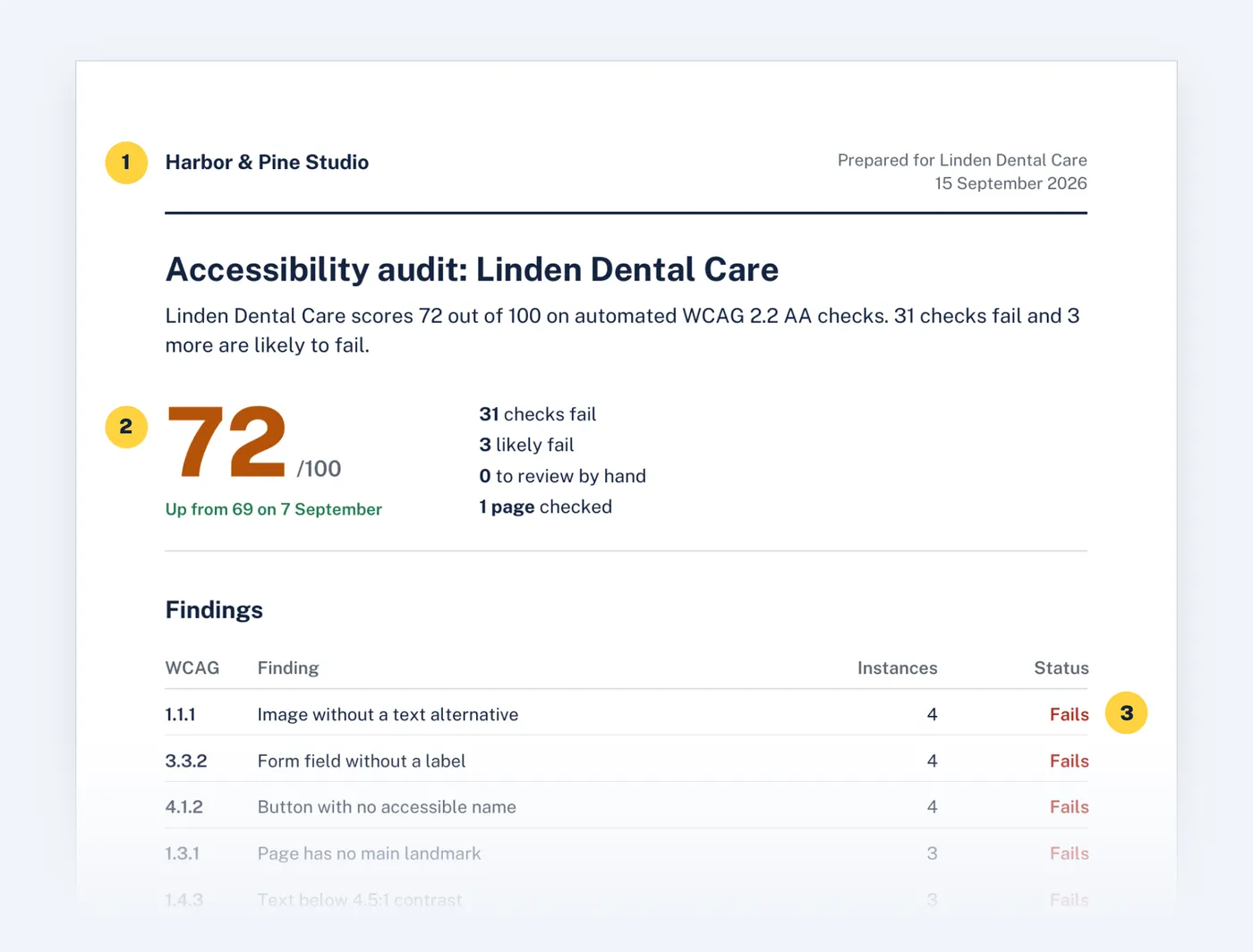
Set your agency's name once in Settings. Every report shows it at the top, names the client and dates the audit. Clients never see our name in the header.
Written for the client
The first page gives one score, how it changed since the last audit and every failing check in plain words. Each finding says who it affects, so clients understand why it matters before anyone mentions code.
The detail developers need
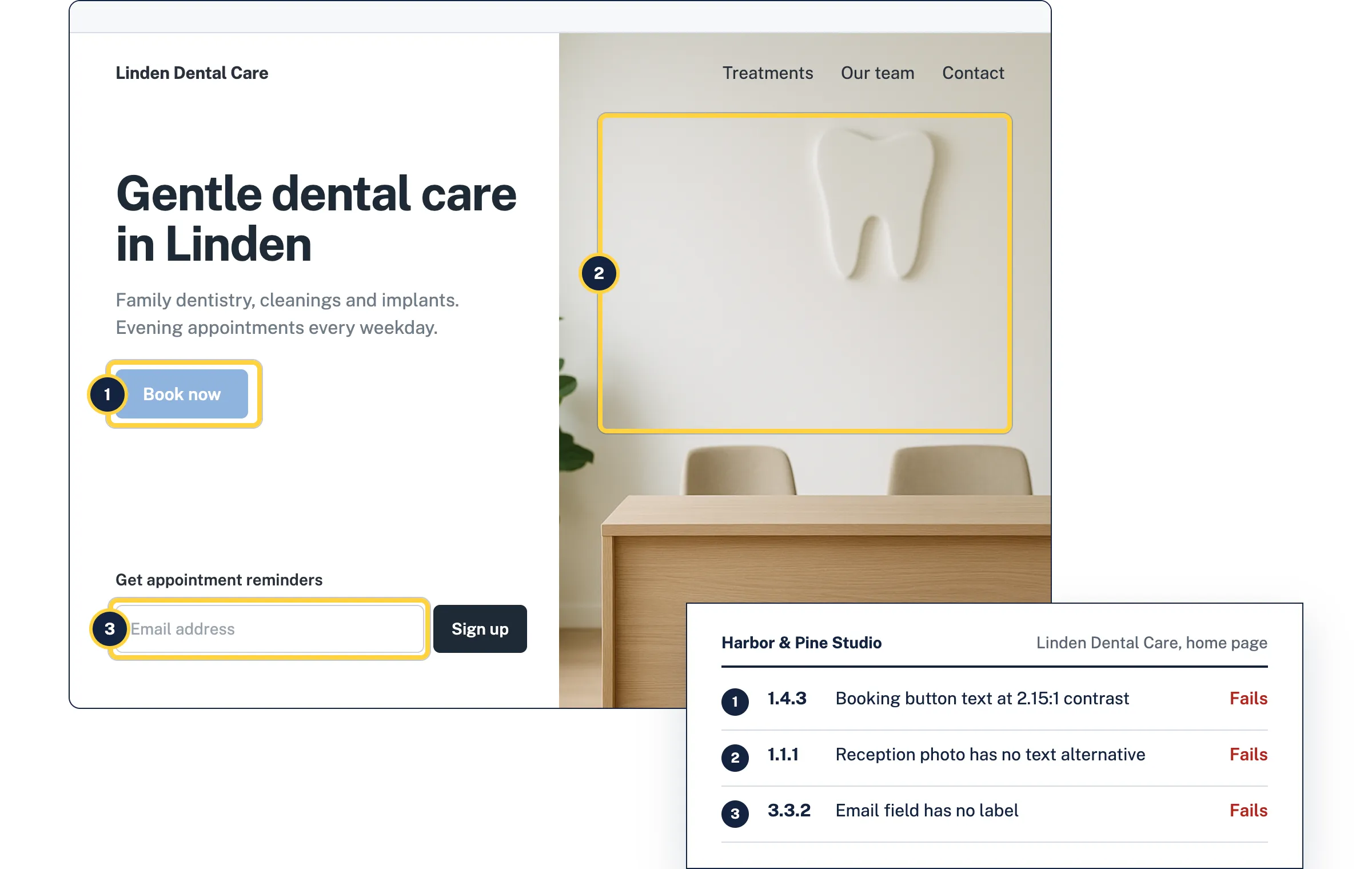
Behind the summary, each finding lists the elements that fail, how to fix them and, on paid plans, a fix written for that element. Export the same findings as CSV to turn them into tickets.
What's included
- PDF report
- Score, trend since the last audit, findings table, next steps and details for each finding.
- CSV export
- Every finding with its criterion, severity, element and fix, ready for a spreadsheet or issue tracker.
- Honest method note
- Each report says it covers automated WCAG 2.2 AA checks and that some criteria need manual review.
Questions
Can I add my agency's logo to reports?
Not yet. Your agency's name appears at the top of every report. Logo upload is on the roadmap.
Does a report say the site is compliant?
No. It reports what automated checks found and says which criteria still need a person to review. No automated tool can confirm full conformance, and the report doesn't pretend to.
Which plans include PDF reports?
Every account can download PDF and CSV reports, including on the free plan.
Related
- AI fixes
AccessGuard reads the element that fails and the WCAG criterion it breaks, then writes the explanation and the code change for that exact element.
- Monitoring
AccessGuard rescans your sites, or your clients', daily, weekly or monthly and emails your team when a release adds failures or the score drops.
- Multi-site audits
Keep your own sites or your clients' in one list, rescan after each release and see which ones got worse before your visitors do.
- Color contrast checker
Two colors in, the ratio out, and the nearest color that passes WCAG 2.2.
- Alt text checker
Paste a page address. See every image on it with its alt text, and which ones need fixing.
- Form labels checker
Finds inputs without labels, placeholders used as the only label, and fields that don't say what they collect.
Try it on your site
Start with a free audit of one page. No account needed.