Know when a site gets worse
AccessGuard rescans your sites, or your clients', daily, weekly or monthly and emails your team when a release adds failures or the score drops.
See which sites got worse
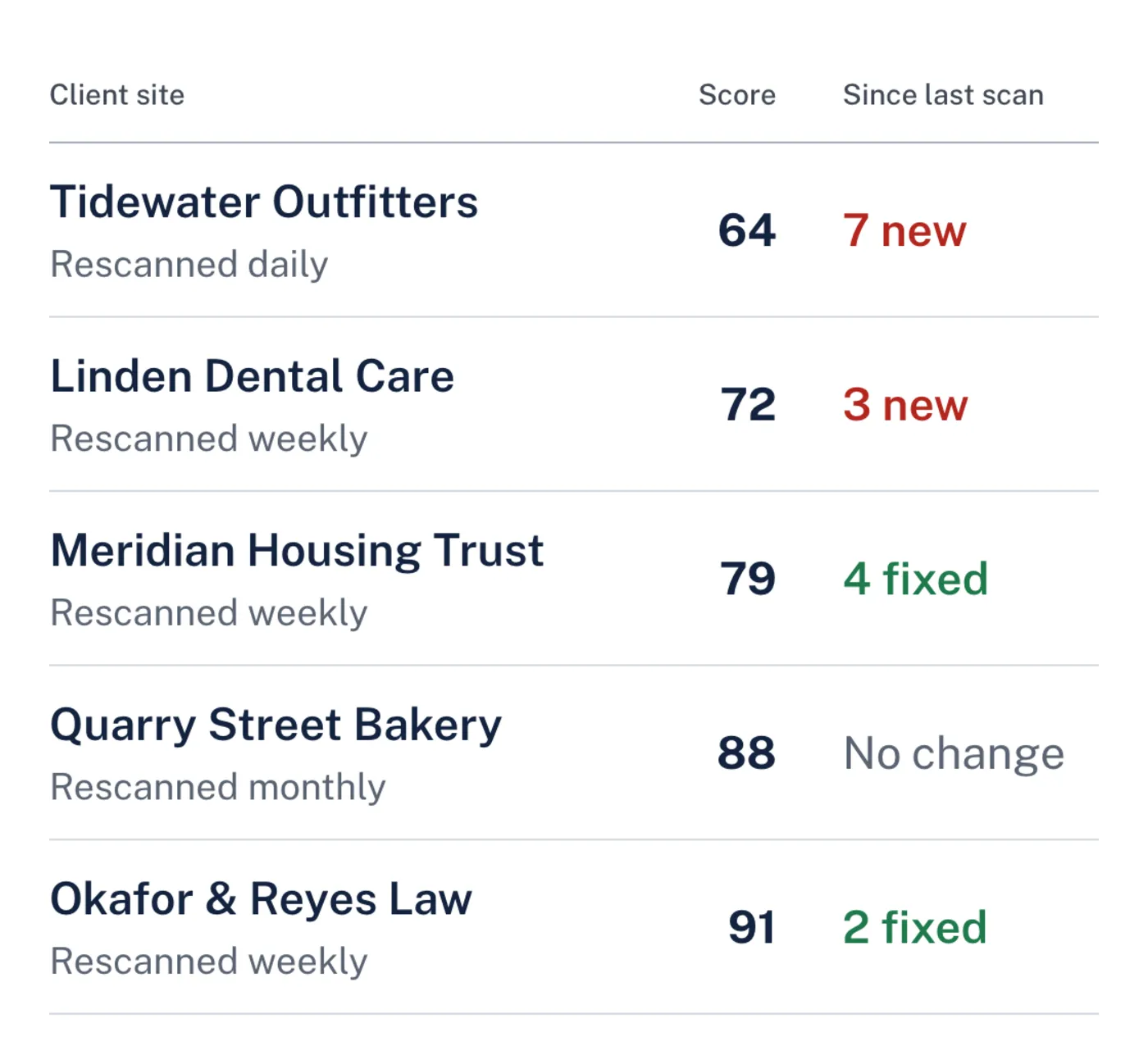
The site list shows each site's schedule and what changed since its last scan, new failures and fixed ones, so you hear about a problem before a visitor or a client finds it.
Set it once for each site
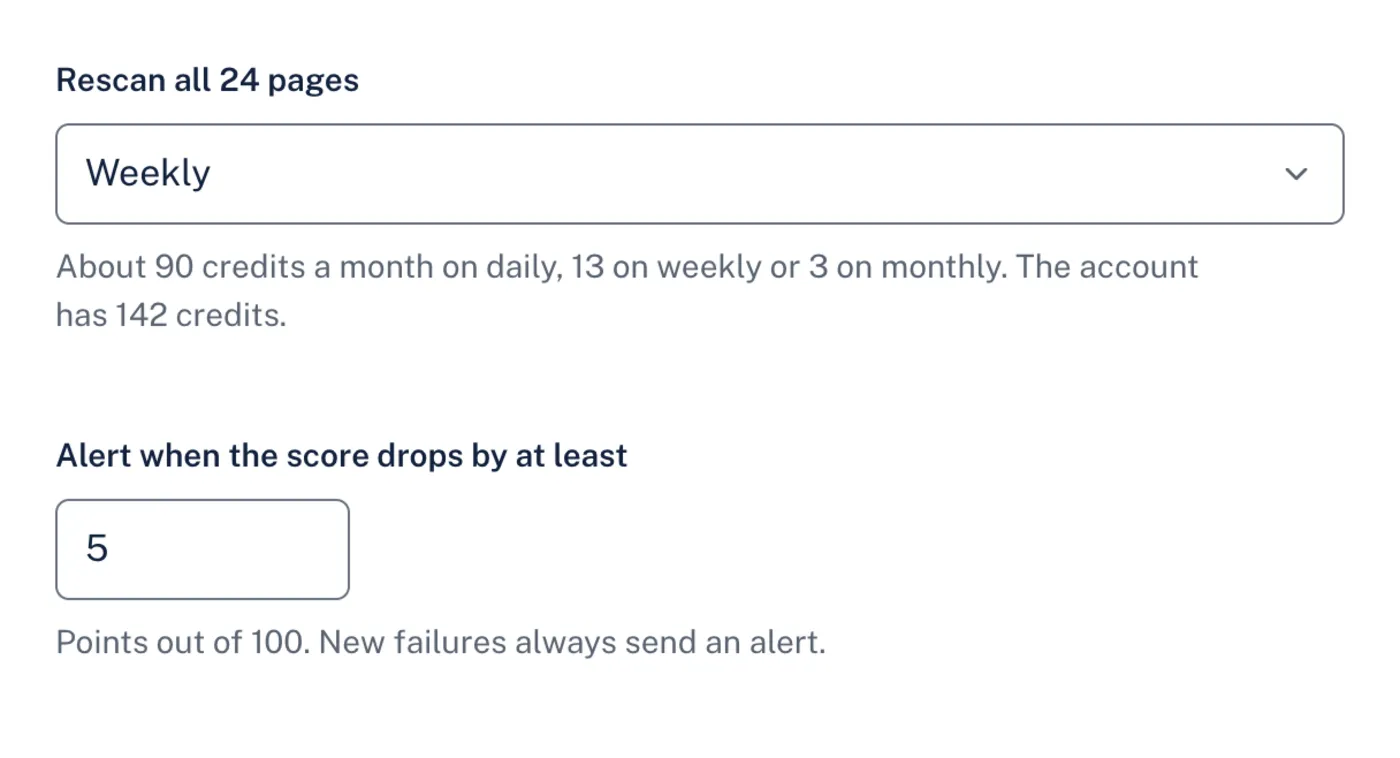
Pick a schedule for each site and how many points the score may drop before you hear about it. You can still scan by hand after a release or before a review.
What's included
- Schedules
- Daily, weekly or monthly rescans of every page you added to a site.
- Alerts
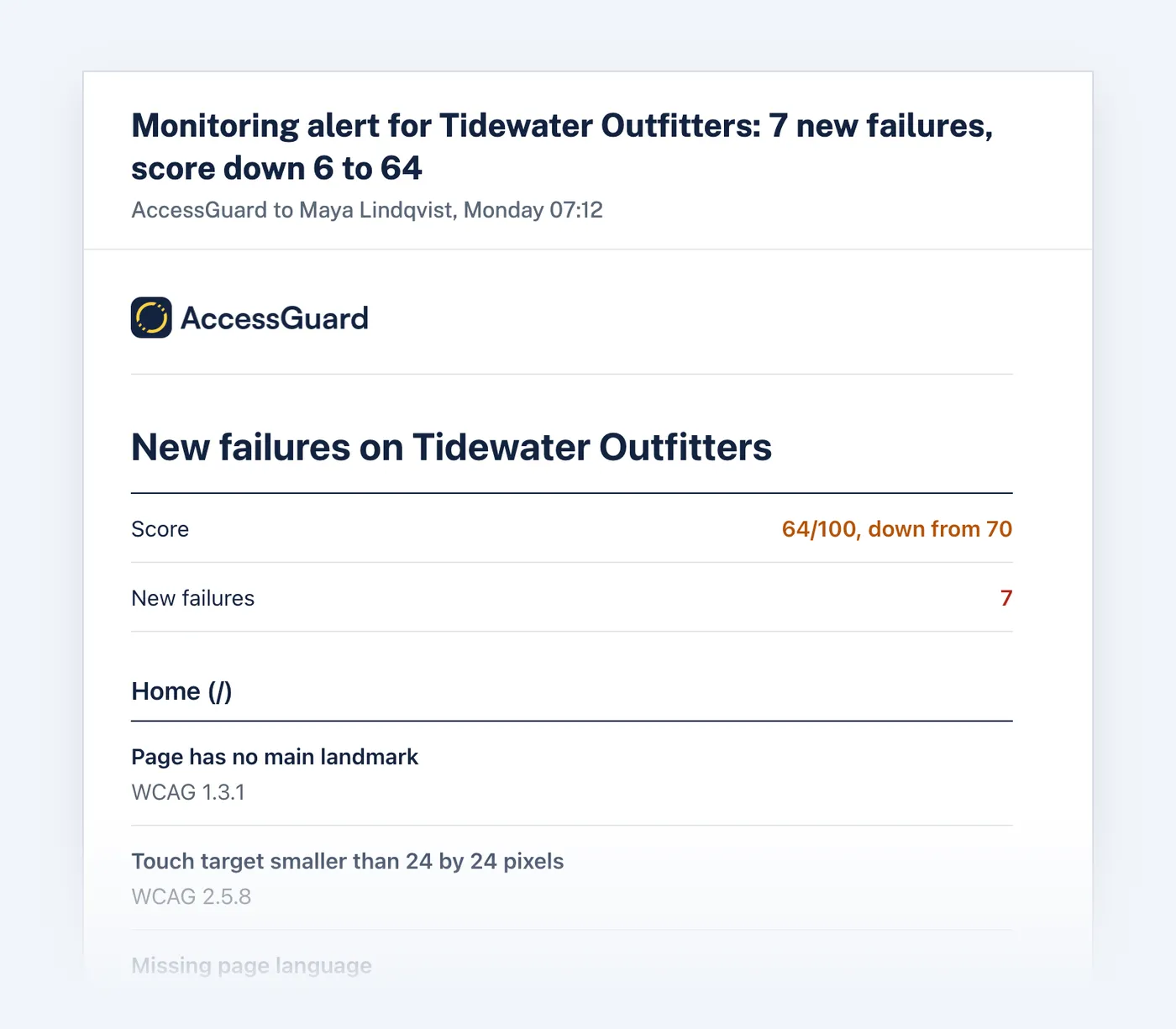
- An email and an in-app alert for everyone on the account when new failures appear or the score drops by the points you choose. The email lists each new failure by page with its WCAG criterion.
- New and fixed
- Each rescan is compared with the previous scan of every page, so fixed failures count too.
- Credits
- The free plan's monthly rescan of its 10 pages costs nothing. On a paid plan a rescan uses 1 credit for every 10 pages, and 1 credit for a page on its first scan. Weekly monitoring of a 20-page site uses about 9 credits a month.
Questions
Does monitoring use credits?
On a paid plan, yes; the free plan's monthly rescan of its 10 pages costs nothing. On a paid plan a rescan uses 1 credit for every 10 pages on the site, rounded up, and 1 credit for each page on its first scan. A 20-page site rescanned weekly uses about 9 credits a month. Each site's settings show the estimate before you turn monitoring on.
What happens when credits run out?
The rescan waits instead of checking only some pages, and everyone on the account gets a notice. It starts again within 15 minutes of adding credits, or when the plan's credits reset. You are never billed extra.
Does monitoring crawl the whole site?
No. It rescans the pages you added to the site, such as the home page, booking and checkout. Add a page and the next rescan includes it.
Who gets the alert?
Everyone on the account gets an email and an alert in AccessGuard. Each person can turn monitoring emails off in their notification settings.
Can a rescan confirm a site is compliant?
No. Automated checks find many WCAG failures but can't confirm conformance on their own. Monitoring tells you when a site gets worse, so you can fix it and check the rest by hand.
Related
- White-label reports
Send clients a PDF they can read without a developer in the room, with your agency's name at the top and the detail your developers need behind it.
- AI fixes
AccessGuard reads the element that fails and the WCAG criterion it breaks, then writes the explanation and the code change for that exact element.
- Multi-site audits
Keep your own sites or your clients' in one list, rescan after each release and see which ones got worse before your visitors do.
- Keyboard and focus checker
Finds controls people can't reach by keyboard, controls a keyboard reaches but nobody can see, focus styles that were removed, and focused elements hidden behind sticky headers.
- Color contrast checker
Two colors in, the ratio out, and the nearest color that passes WCAG 2.2.
- Form labels checker
Finds inputs without labels, placeholders used as the only label, and fields that don't say what they collect.
Try it on your site
Start with a free audit of one page. No account needed.