Every site you look after, in one account
Keep your own sites or your clients' in one list, rescan after each release and see which ones got worse before your visitors do.
See which sites got worse
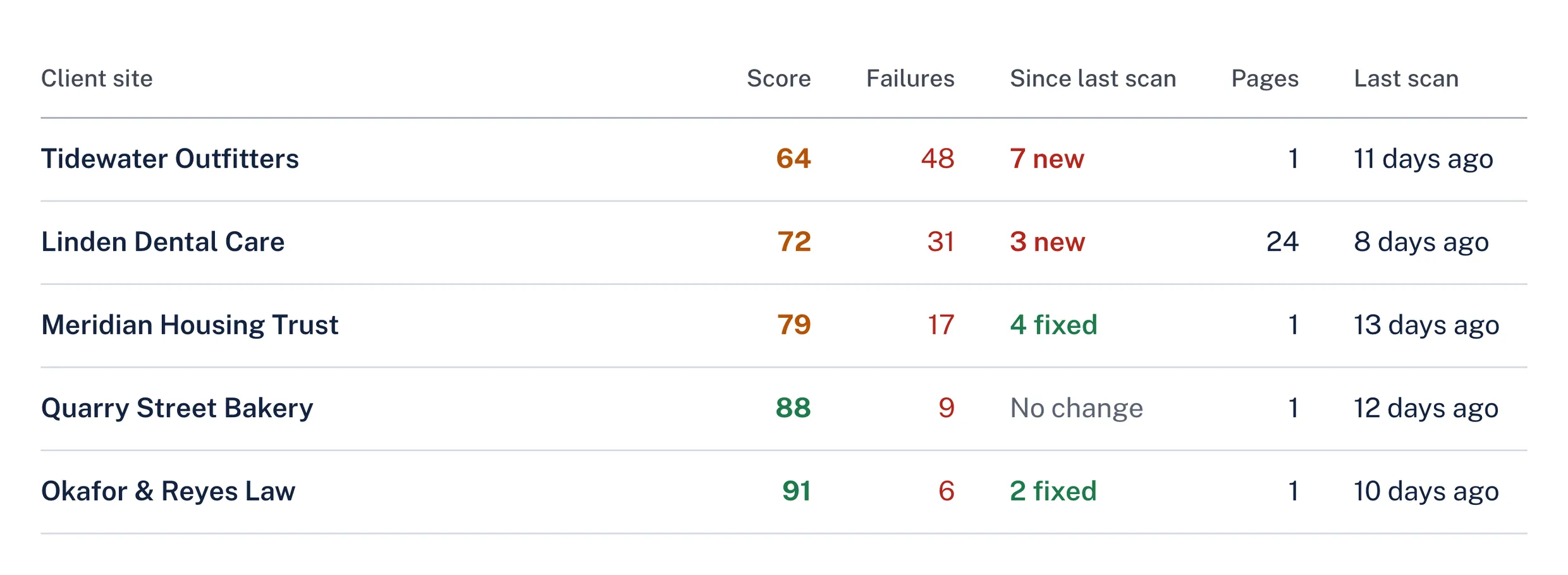
The site list sorts sites by failures and shows what changed since each site's last scan, so a new release that broke something shows up before your visitors notice.
Every page of a site
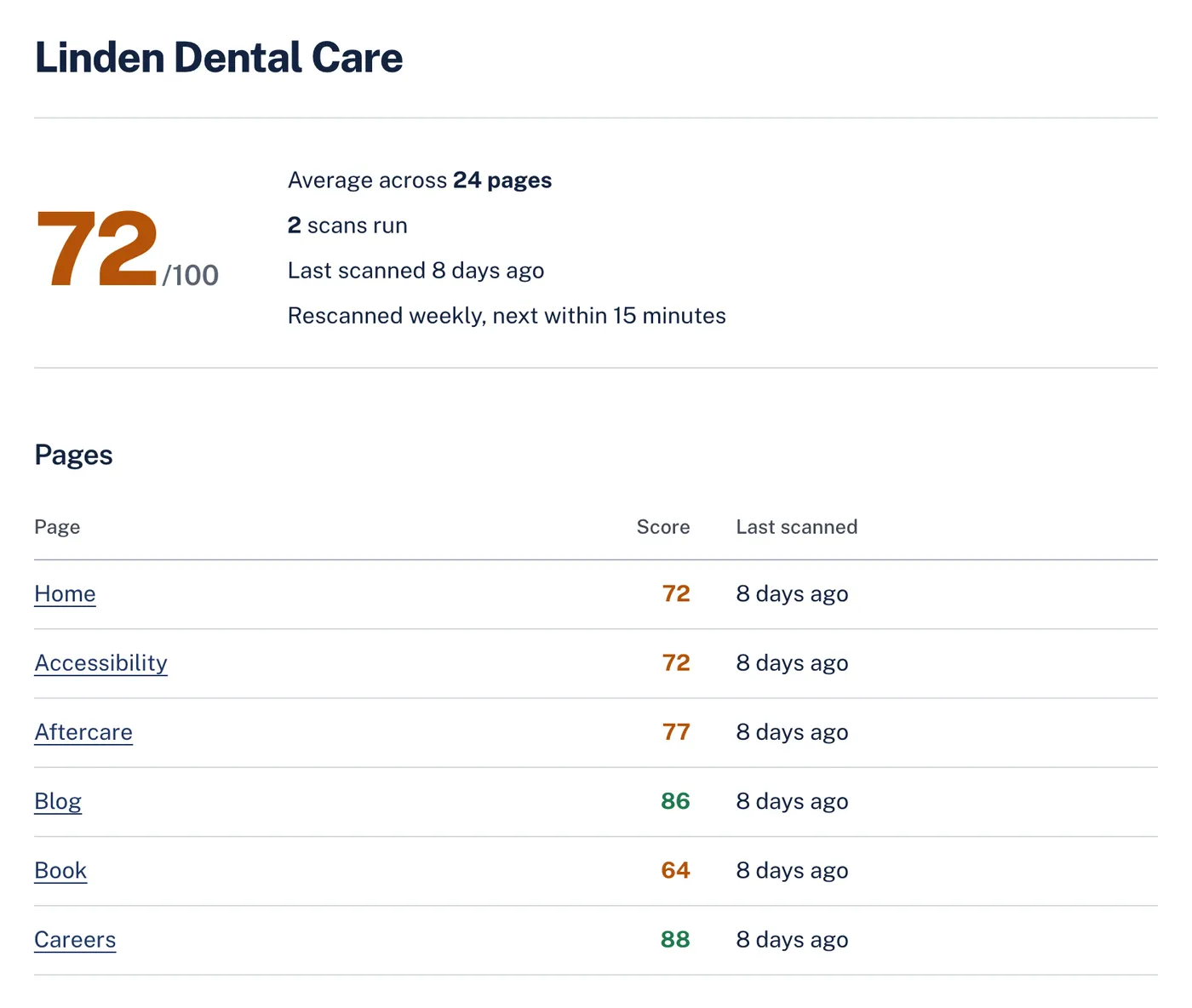
Add a site and AccessGuard reads its sitemap and picks one page of every kind to scan. Swap in the pages that matter, such as booking and checkout, and scan them all at once. Each page keeps its score and history.
Rescans on a schedule
Turn on monitoring for a site and its pages are rescanned daily, weekly or monthly. When a rescan finds new failures or the score drops, everyone on the account gets an email and an alert in AccessGuard. You can still scan by hand after a release or before a review.
What's included
- Site list
- Score, open failures, new and fixed since the last scan, pages and last scan date for every site.
- Pages per site
- Scan all pages of a site in one go, 1 credit per page. The free plan scans its 10 pages once a month at no cost.
- Monitoring
- Monthly rescans on the free plan, and daily, weekly or monthly on paid plans, with alerts for new failures and score drops. On a paid plan a rescan uses 1 credit for every 10 pages; on the free plan it costs nothing.
- Your team
- Invite teammates. Plans include 1, 5 or unlimited team members and sites.
Questions
Does AccessGuard rescan sites automatically?
Yes. The free plan rescans its site monthly, and on paid plans you choose daily, weekly or monthly rescans for each site. Rescans check the pages you added and send an alert when new failures appear or the score drops. The free plan's rescan costs nothing. On a paid plan a rescan uses 1 credit for every 10 pages, so weekly monitoring of a 20-page site uses about 9 credits a month.
Does it crawl a whole site?
No. It reads the site's sitemap and picks one page of every kind, such as a product, a collection and a blog post, and you can swap or add any page the sitemap lists. That keeps credits predictable and focuses the report on the templates pages are built from.
How many sites can I add?
The free plan includes 1 site of up to 10 pages. Basic includes 1 site, Pro 5 and Premium unlimited, and every page scan on them uses 1 credit.
Related
- White-label reports
Send clients a PDF they can read without a developer in the room, with your agency's name at the top and the detail your developers need behind it.
- AI fixes
AccessGuard reads the element that fails and the WCAG criterion it breaks, then writes the explanation and the code change for that exact element.
- Monitoring
AccessGuard rescans your sites, or your clients', daily, weekly or monthly and emails your team when a release adds failures or the score drops.
- Headings and landmarks checker
A page's URL in, its heading outline and landmarks out, with what is wrong in them.
- Keyboard and focus checker
Finds controls people can't reach by keyboard, controls a keyboard reaches but nobody can see, focus styles that were removed, and focused elements hidden behind sticky headers.
- Link text checker
Finds links with no accessible name, vague text like "click here", and links that open new windows without warning.
Try it on your site
Start with a free audit of one page. No account needed.